Accepting Apple Pay and Google Pay: What UK Businesses Need to Know
If you have ever wondered whether your business should accept Apple Pay and Google Pay, the short answer is yes. But there is a lot of confusion about how it works, what it costs, and whether you need special equipment. Let me clear all of that up.

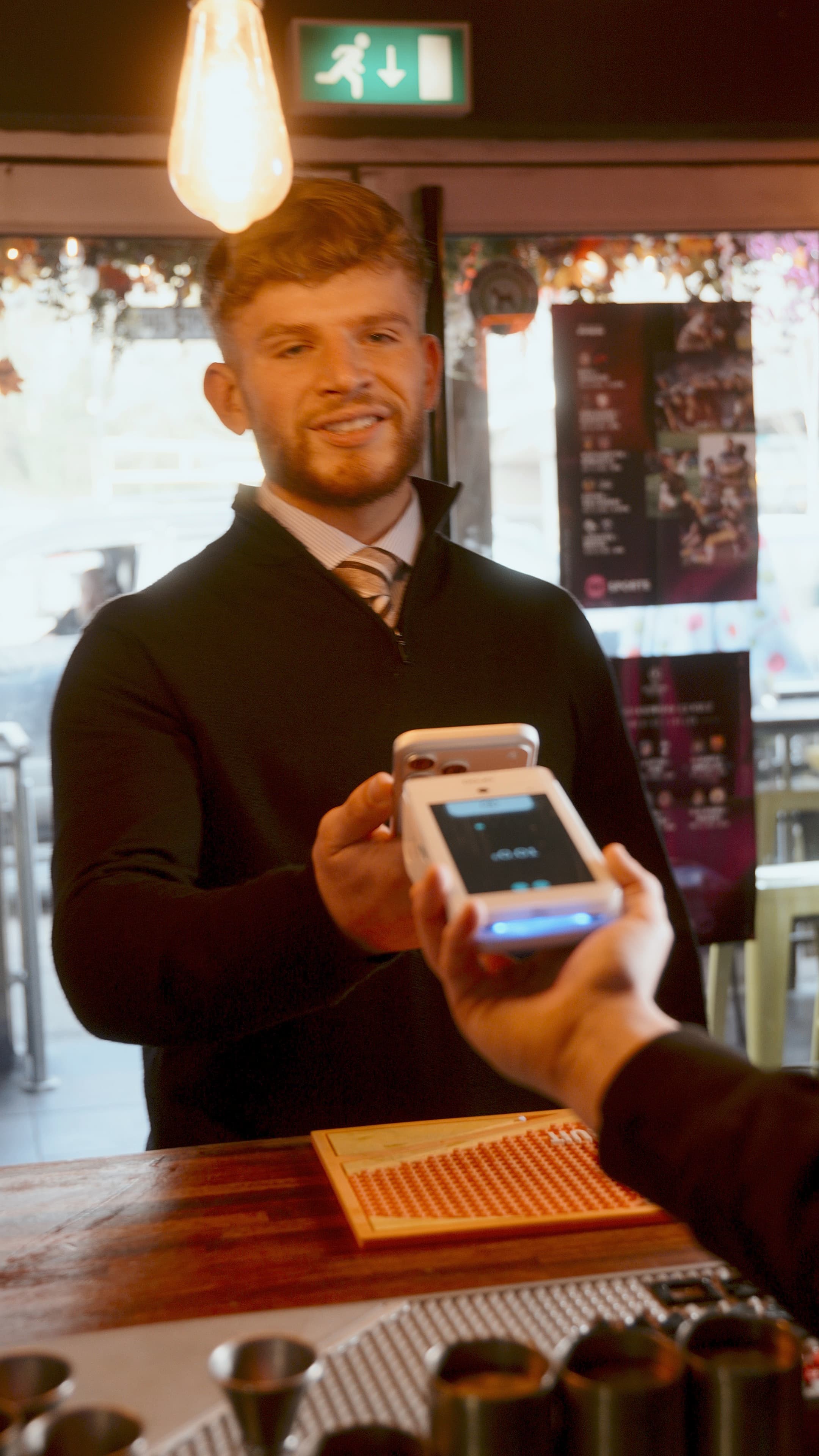
Key Takeaways
- Tap to Pay on iPhone lets you accept contactless payments with just your phone via the Dojo app
- QR code payments let customers pay with Apple Pay or Google Pay by scanning a code at the table
- No extra hardware needed for Tap to Pay. Just enable it in the Dojo for business app
- All Dojo terminals accept Apple Pay, Google Pay, and Samsung Pay as standard
- 30-day commitment-free trial with 30-day rolling or 12-month contract options
What Are Mobile Wallets and How Do They Work?
Apple Pay and Google Pay are digital wallets built into smartphones and smartwatches. Your customer adds their debit or credit card to their phone, and then they can pay by holding their device near the card machine. The technology behind it is called NFC, which stands for Near Field Communication. It is the same contactless technology used in physical bank cards, just triggered by a phone instead of a plastic card.
From your side of the counter, a mobile wallet payment looks exactly like a contactless card tap. The transaction processes through the same card networks (Visa, Mastercard, Amex) and settles in your account the same way. You do not need a separate merchant account or a different payment processor.
The Big Advantage: No Spending Limit
This is the detail that catches most business owners off guard. Physical contactless cards in the UK are capped at £100 per transaction. But Apple Pay and Google Pay have no fixed limit. The reason is security: every mobile wallet transaction requires biometric authentication. The customer unlocks the payment with Face ID, a fingerprint, or a device PIN before the payment goes through.
Because the payment is authenticated, the card networks treat it as more secure than a standard contactless tap. That means a customer can pay £500, £1,000, or even more with a single tap of their phone. For restaurants, hotels, jewellers, and any business with higher average transaction values, this is a significant improvement in the checkout experience.
How Many People Actually Use Mobile Wallets?
More than you might think. UK Finance reported that mobile wallet transactions have grown rapidly year on year, and adoption continues to accelerate. Among younger demographics (18 to 35), mobile wallet usage is particularly high, with many consumers using their phone as their primary payment method rather than a physical card.
Wearable payments through Apple Watch and similar devices are growing too. The direction of travel is clear: more consumers are leaving physical wallets at home and relying on their phone to pay. If your terminal cannot accept these payments, you risk losing sales to businesses that can.
Do You Need Special Equipment?
No. Any card machine that accepts contactless payments will accept Apple Pay and Google Pay automatically. There is no extra hardware, no software update, and no additional setup. If your terminal has the contactless symbol on it (the four curved lines that look like a Wi-Fi icon turned on its side), it already supports mobile wallets.
Dojo terminals through CapExpand support Apple Pay, Google Pay, Samsung Pay, and all other major mobile wallets straight out of the box. You do not need to enable anything or pay extra. It just works.
Accept every type of payment from day one
Dojo terminals handle Apple Pay, Google Pay, QR codes, and contactless. 30-day trial through CapExpand.
Get your quoteWhat Does It Cost You?
Mobile wallet payments cost exactly the same as a standard contactless card payment. There is no surcharge for accepting Apple Pay or Google Pay. The transaction fee is the same percentage you pay on any other card transaction. Some business owners assume there is an extra charge from Apple or Google, but that is not the case. Apple and Google take their cut from the card-issuing bank, not from the merchant.
In practical terms, if your transaction rate is 1.4% on contactless card payments, you will pay 1.4% on an Apple Pay or Google Pay transaction too. Identical.
Accept every payment method your customers use
Dojo terminals through CapExpand support Apple Pay, Google Pay, contactless, chip and PIN, and all major card brands. Zero extra setup required.
Get a free quoteSecurity: Why Mobile Wallets Are Actually Safer
Mobile wallet payments are more secure than physical card payments in several important ways. First, every transaction is authenticated with biometrics. Second, your actual card number is never transmitted. Instead, the phone sends a unique token (a randomised stand-in number) for each transaction. Even if someone intercepted the data, they could not reuse it.
For you as a business, this means lower fraud risk. Chargebacks from mobile wallet transactions are extremely rare because the biometric authentication makes it very difficult for someone to claim they did not make the payment.
Practical Tips for Businesses New to Mobile Wallets
If you have been taking contactless card payments, you are already accepting mobile wallets. But there are a few things you can do to make the experience smoother:
Display the Apple Pay and Google Pay logos at your point of sale. Customers look for these and feel more confident when they see them
Train your staff so they know that phone payments work exactly like card taps. No special steps are needed on your terminal
Position your card machine so customers can easily reach it with their phone. Awkward angles make NFC payments fiddly
Know the difference: physical card contactless is capped at £100, but Apple Pay and Google Pay have no limit. If a customer wants to pay £200 by phone, let them
If a customer holds their phone to the terminal and nothing happens, ask them to make sure their screen is on and that they have authenticated. The phone needs to be unlocked for the payment to go through
What About Samsung Pay and Other Wallets?
Samsung Pay, Fitbit Pay, Garmin Pay, and various other mobile wallets all use the same NFC technology. If your terminal accepts contactless, it accepts all of them. You do not need to worry about which specific wallet your customer uses. The terminal does not differentiate between Apple Pay, Google Pay, or any other NFC wallet. A tap is a tap.
Why This Matters for Your Business
Accepting mobile wallets is not just about keeping up with technology for the sake of it. There are tangible business benefits:
Faster checkout times. Phone payments are quicker than chip and PIN and often quicker than physical contactless
Higher transaction values. No £100 cap means customers can pay any amount with a single tap
Fewer abandoned sales. A customer who has forgotten their wallet can still pay with their phone
Younger customer appeal. If you serve 18 to 35 year olds, many of them expect mobile wallet support as standard
Lower fraud risk. Biometric authentication and tokenisation make mobile wallet payments very difficult to dispute fraudulently
Getting Set Up Is Simple
There really is nothing to configure on your end. If you already have a contactless-enabled card machine, you are done. If you are getting a new terminal, every Dojo device through CapExpand comes with full NFC support for all mobile wallets as standard.
The only decision you need to make is whether your current terminal and provider are giving you the best deal. If you are paying above-market transaction fees or you are stuck with outdated hardware, it might be time to look at what is available.
Tap to Pay on iPhone: Your Phone Becomes a Terminal
Dojo offers Tap to Pay on iPhone, which turns your iPhone into a contactless payment terminal. No extra hardware needed. Simply enable it in the Dojo for business app and you can accept Apple Pay, Google Pay, and contactless card payments. It is free to use, requires no sign-up, and is perfect for busy periods when you need extra payment points without buying more terminals.
QR Code Payments: The Next Step in Digital Wallets
Dojo is one of the only major UK payment providers offering QR code payments. Customers scan a code at their table, split the bill, add a tip, and pay with Apple Pay or Google Pay. No app download required. After paying, Dojo can automatically prompt them to leave a Google review. For restaurants and hospitality businesses, this combines digital wallet acceptance with a powerful marketing tool.
Sources and references
Ready for every payment type?
Get a Dojo terminal through CapExpand that accepts Apple Pay, Google Pay, and every other payment method your customers use. Two minutes to apply, no obligation.
Get a free quoteCapExpand Ltd (Company No. 14433858) is an authorised Dojo partner, not a card machine manufacturer. We are not currently authorised or regulated by the Financial Conduct Authority. Card machine pricing and availability are subject to change. All information on this page is for general guidance only.